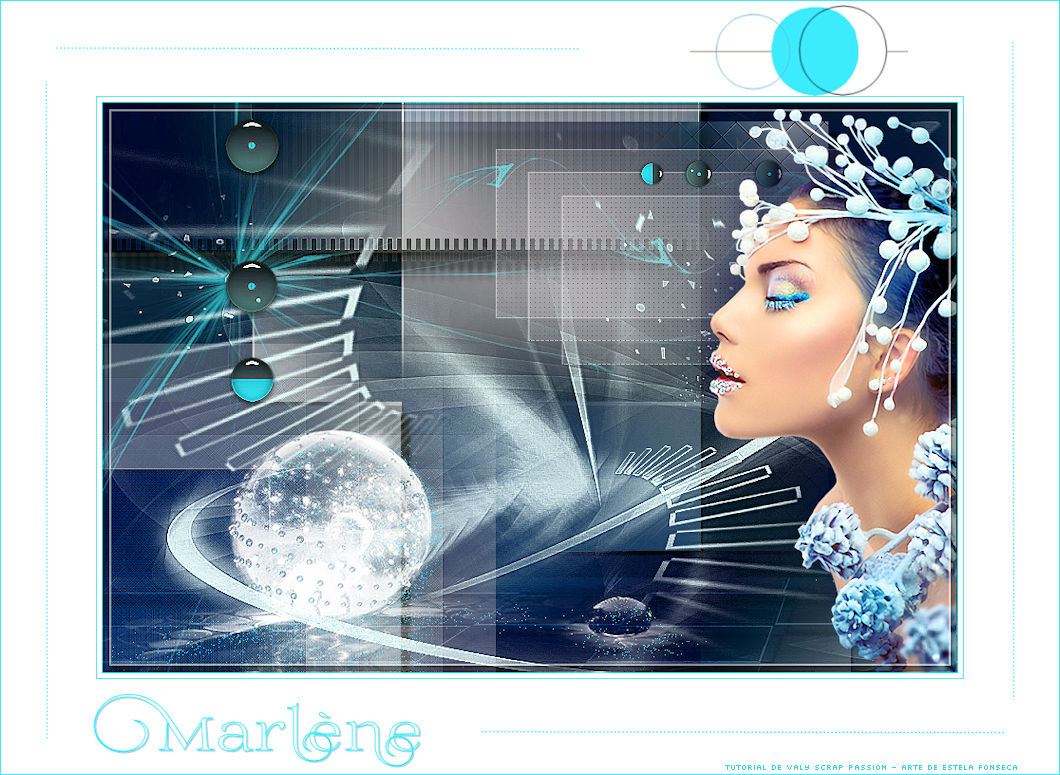
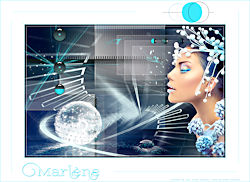
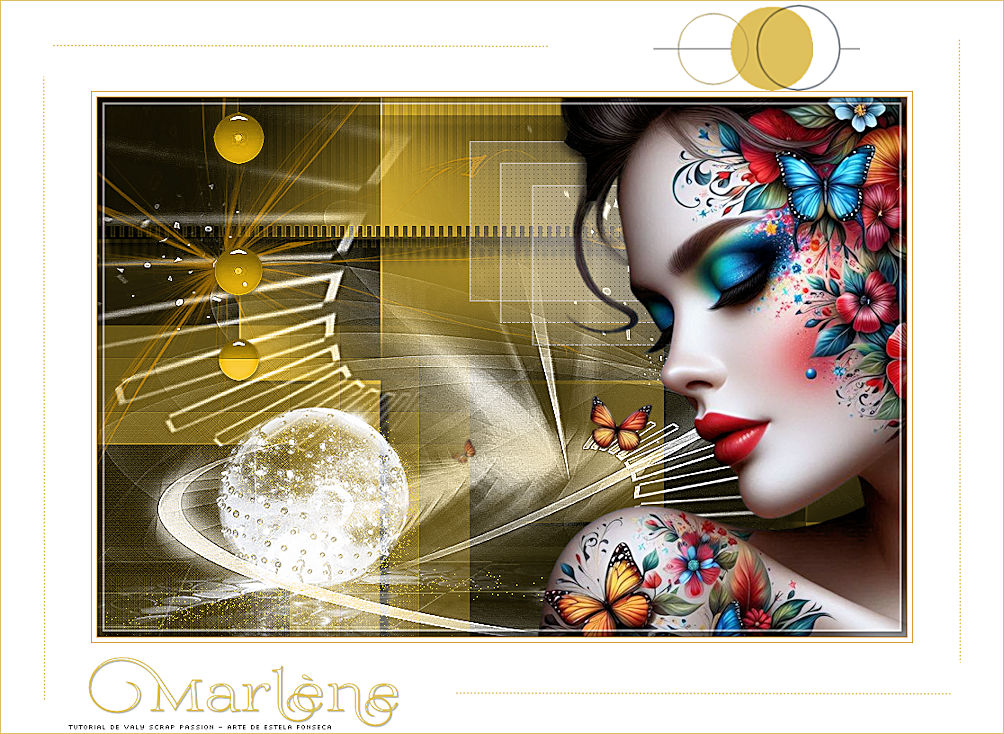
MARLÈNE
Tutorial de Valerie , original, Aqui.
.jpg)
Tutorial traduzido no PSP 22 Ultimate...
mas pode ser feito em versões anteriores do PSP.
Materiais Necessários:
Alpha Marlene
Font
Masks de Narah
Tube
Decos
Assinatura
Plugins:AAA Frames
dsb flux
Mehdi
MuRa's Meister
Italian Editors Effect**
Two Moon**
**Importados para o Unlimited 2.0
Preparação:
Abra os tubes no psp duplique e feche os originais. Remova a assinatura apenas das cópias.Abra as máscaras no psp e minimize-as.
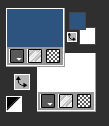
Coloque no Primeiro Plano a cor 2 e no Plano de Fundo a cor 5
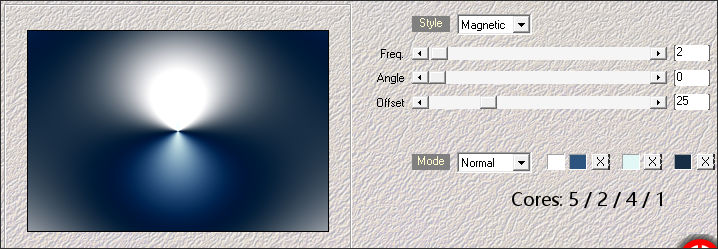
1- Abra: Alpha-Marlene-VSPWindow / Duplicate (Feche a original e trabalhe na cópia)
Effects / Plugins / Mehdi / Wavy Lab 1.1
Adjust / Blur / Gaussian Blur / Radius 35
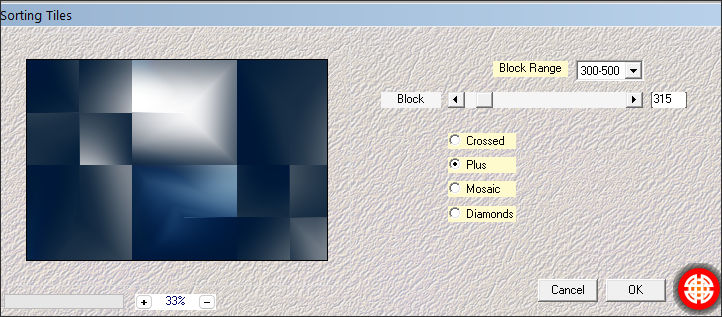
Effects / Plugins / Mehdi / Sorting Tiles
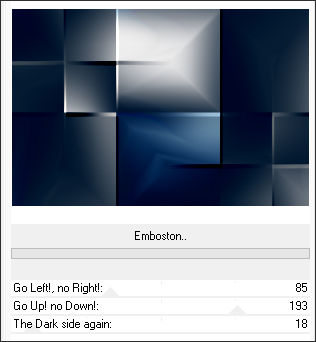
Effects / Plugins / <I.C.NET Software> / Filters Unlimited 2.0 / Two Moon / Emboston
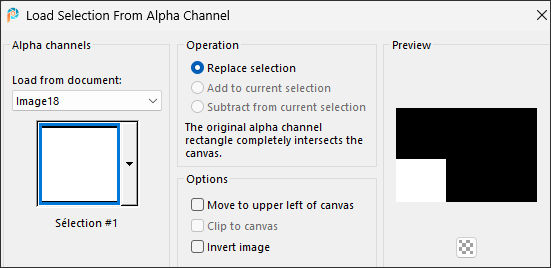
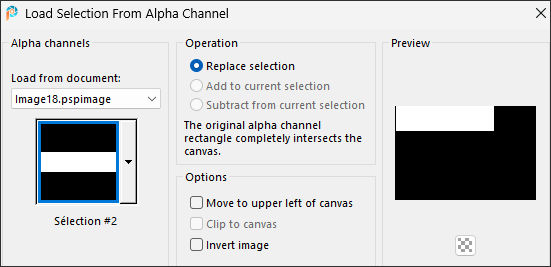
2- Selections / Load/Save Selection / Load Selection from Alpha Channel: Selection #1
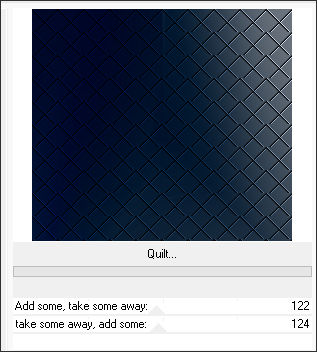
Selections / Promote Selection to LayerEffects / Plugins / <I.C.NET Software> / Filters Unlimited 2.0 / Two Moon / Quilt
Adjust / One step Photo FixSelections / Select None
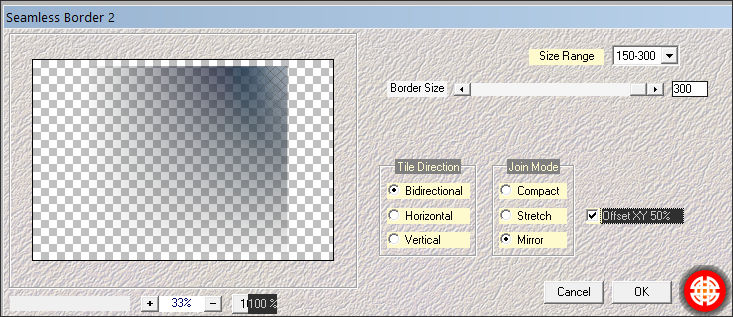
3- Layer / DuplicateEffects / Plugins / Mehdi / Seamless Border 2
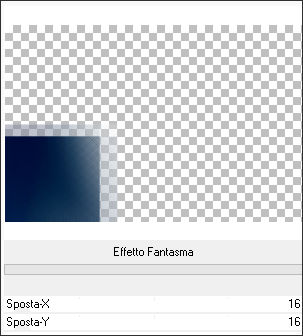
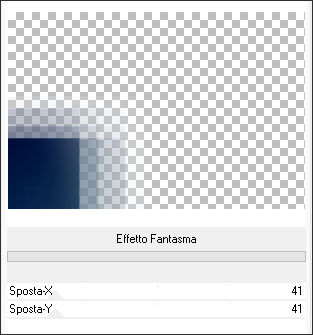
Ative a layer do Meio (Promoted Selection)Effects / Plugins / <I.C.NET Software> / Filters Unlimited 2.0 / It@lian Editors Effect / Effetto Fantasma
Effects / Plugins / <I.C.NET Software>/ Filters Unlimited 2.0 / It@lian Editors Effect / Effetto Fantasma
Effects / Edge Effects / Enhance
4- Ative a layer do Topo (Copy of Promoted Selection)
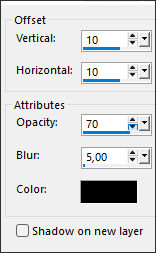
Effects / 3D Effects / Drop Shadow
Ative a Layer do Meio (Promoted Selection)Selections / Load/Save Selection / Load Selection from Alpha Channel: Selection #1 Novamente
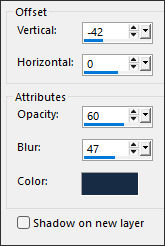
Effects / 3D Effects / Drop Shadow:
Selections / Select None
5- Ative a Layer do Topo (Raster 1)Selections / Load/Save Selection / Load Selection from Alpha Channel:Selecton #2
Selections / Promote Selection to LayerSelections / Select None
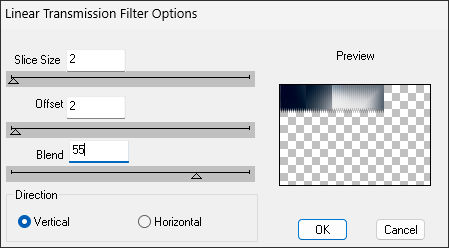
Effects / Plugins / dsb flux / Linear Transmission
Effects / Edge Effects / EnhanceEffects / 3D Effects / Drop Shadow... na memória.
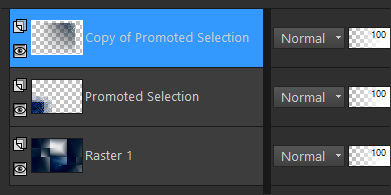
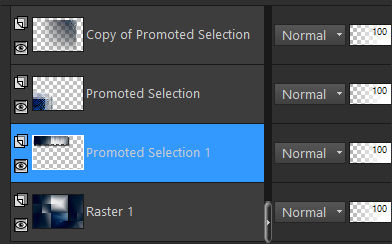
Repita mais uma vezSuas layers estão assim ...
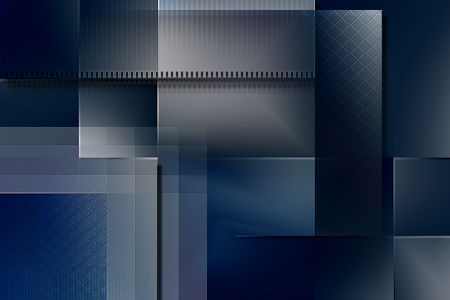
Resultado:
6- Layers / Merge / Merge VisibelLayers / New Layer Raster ... Preencha com a cor 4
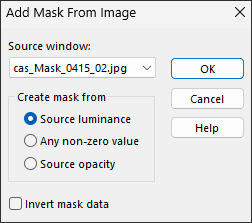
Layers / New Mask Layer / From Image: Mask cas_Mask_0415_02
Effects / Edge Effects / Enhance MoreLayers / Merge / Merge Group
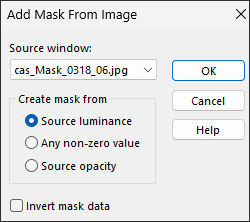
7- Layers / New Raster Layer ... Preencha com a cor 5Layers / New Mask Layer / From Image: Mask cas_Mask_0318_06
Effects / Edge Effects / Sharpen MoreLayers / Merge / Merge Group
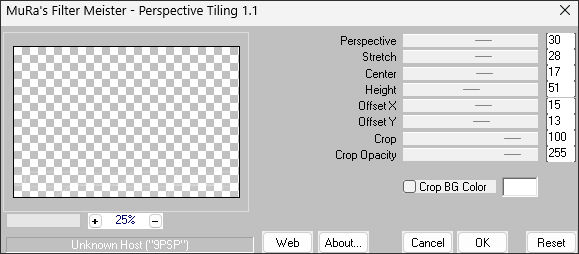
Effects / Plugins / MuRa's Meister / Perspective Tiling
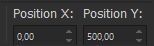
Pressione a Letra K do seu teclado para ativar a Pick (K)
Position X (0,00) / Position Y (500,00)
Pressione a tecla M para desativar a seleção.
Effects / 3D Effects / Drop Shadow ... na memória
Repita a sombra novamenteBlend Mode / Soft Light
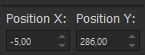
8- Ative : Deco1-Marlene-VSP ... Copie e cole como nova layerPressione a Letra K do seu teclado para ativar a Pick (K)
Position X (-5,00) / Position Y (286,00)
Pressione a tecla M para desativar a seleção.
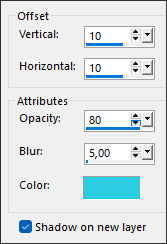
Effects / 3D Effects / Drop Shadow: Cor 3 Atenção: Marque SHADOW ON NEW LAYER
Blend Mode / DissolveOpacidade 20
9- Ative : Deco2-Marlene-VSP tube ... CopieAtive a Layer do Fundo (merged)
Cole como nova layer
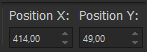
Pressione a Letra K do seu teclado para ativar a Pick (K)
Position X (414,00) / Position Y (49,00)
Pressione a tecla M para desativar a seleção.
10- Ative: Deco3-Marlene-VSP tube ... CopieAtive a layer do Topo (Raster 3)
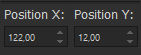
Cole como nova layer
Position X (122,00) / Position Y (12,00)
Pressione a tecla M para desativar a seleção.
Effects / Edge Effects / Enhance
11- Ative: Deco4-Marlene-VSP tube...CopieAtive a Layer do Fundo (Merged)
Cole como nova layer
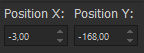
Position X (-3,00) / Position Y (-168,00)
Pressione a tecla M para desativar a seleção.
Effects / Edge Effects / Enhance
Opacidade 60
12- Ative: MR_Winter Beauty tubeCopie e cole como nova layer
Layers / Arrange / Bring to top
Image / Resize /95%... Resize All Layers ...Desmarcado
Objects / Align / Bottom
Objects / Align / Right
Adjust / Sharpen / Sharpen
Effects / 3D Effects / Drop Shadow...cor 1
13- Image / Add Borders / Symmetric Marcado / 1 Pixel cor 35 Pixels cor 5
1 Pixel cor 3
100 Pixels cor 5
14- Ative :Deco5-Marlene-VSP tubeCopie e cole como nova layer
Não Mova!
15- Image / Add Borders / Symmetric Marcado / 1 Pixel cor 3Selections / Select All
Selections / Modify / Contract / 108
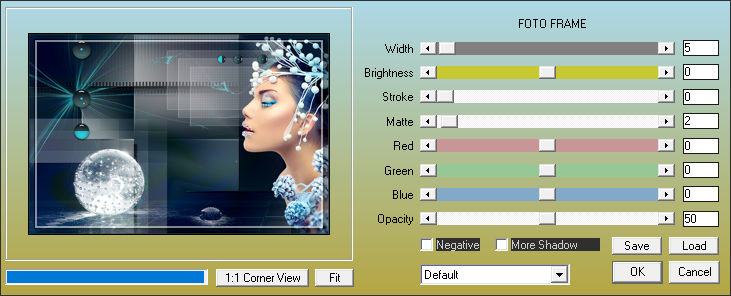
Effects / Plugins / AAA Frames / FOTO FRAME
Selections / Select None
16- Image / Resize /1000 pixels de largura ... Resize All Layers ... MarcadoAdjust / One Step Photo Fix
17- Assine e salve como JPG.
Versão: com tube Próprio (imagem de Pinterest):
©Tutorial traduzido por Estela Fonseca em 16/03/2026.
Não alterar nem repassar sem autorização.